

Aswenya
Ultra Member
- Katılım
- 1 Ağu 2019
- Konular
- 44
- Mesajlar
- 577
- Tepkime puanı
- 119


Apex Legends Hatalar Ve Çözümleri
Mavi ekranın çözümü oldukça basit, 2004 sürümüne gelen son güncellemeyle birlikte bu hileyi açtığımızda "5.sys" adı altında bir Mavi Ekran yiyoruz.
1- Denetim Masası > Programlar > Programlar ve Özellikler
1- Control Panel> Programs> Programs and Features


Bu güncelleme kodunu buldukdan sonra tıklayıp "Kaldır" diyoruz. Dikkat edin KB5003173 olması gerekiyor.
After finding this update code, we click and click "Uninstall". Note that it should be KB5003173.
Kaldırdıkdan sonra bilgisayarı yeniden başlatırsak problem çözülecektir.
If we restart the computer after uninstalling, the problem will be solved.
Bilgisayarın kendisini tekrardan güncellememesi için Windows arama çubuğuna "Hizmetler" yazıp açın ve "Windows Update" yazısını bulup Devre dışı bırakın.
In order for the computer not to update itself again, type "Services" in the Windows search bar and open it, find the text "Windows Update" and disable it.

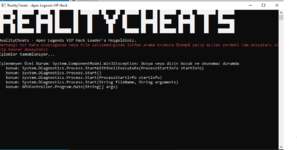
Eğer bu hayatı alıyorsanız
Çalıştıra %temp% yazıp tüm dosyaları silin. Bilgisayarınızı yeniden başlatıp tekrar deneyiniz.

yununuz "borderless screen" ekranda olmalıdır.
Çok fazla belli etmeyin report sonucu ban yersiniz.
Hesabınız ban yedikten sonra yeni hesaba geçmeden CCleaner'ı kullanın.
Eğer menü geliyorsa özellikler çalışmıyorsa, Running yazan konsol ekranını kapatıp RealUI'den tekrardan Start basın.
The map will work if you launch hack after it arrives.
For English ;
Change your resolation fullscreen to borderless or windowed.
Play without Rage for ban.
If you banned, use ccleaner to clean your logs.
If cheat features is not work in game, close hack console and open cheat again.
Start after the map if u will be open hack will be work.
Change your resolation fullscreen to borderless or windowed.
This message for Apex software ;
if u got BSOD your version is 20H2 and drivers are not support your system.
if u get https://prnt.sc/12vymon this already exists, you need to restart your system and clean %temp% folder.
If already you have 2004 version and you getting your version not 2004 (Driver is can't loaded your system).
Son düzenleme:

